Conversation, in your own voice
Use conversation-aware AI replies, photos and GIFs in chat. Voice and video calls are available when your connection supports them.
QuickDate Mode
QuickDate Mode brings the people, places and conversation around a date together. Join a reservation today, create one to share, or build a plan from a saved place.
01 / CHRYSA
Quick Date puts reservations with a seat to share on the map. Browse the person and the venue, then ask to join. A pin appears only on the reservation day, so what you see is about meeting today. Available invitations depend on who has shared a reservation.
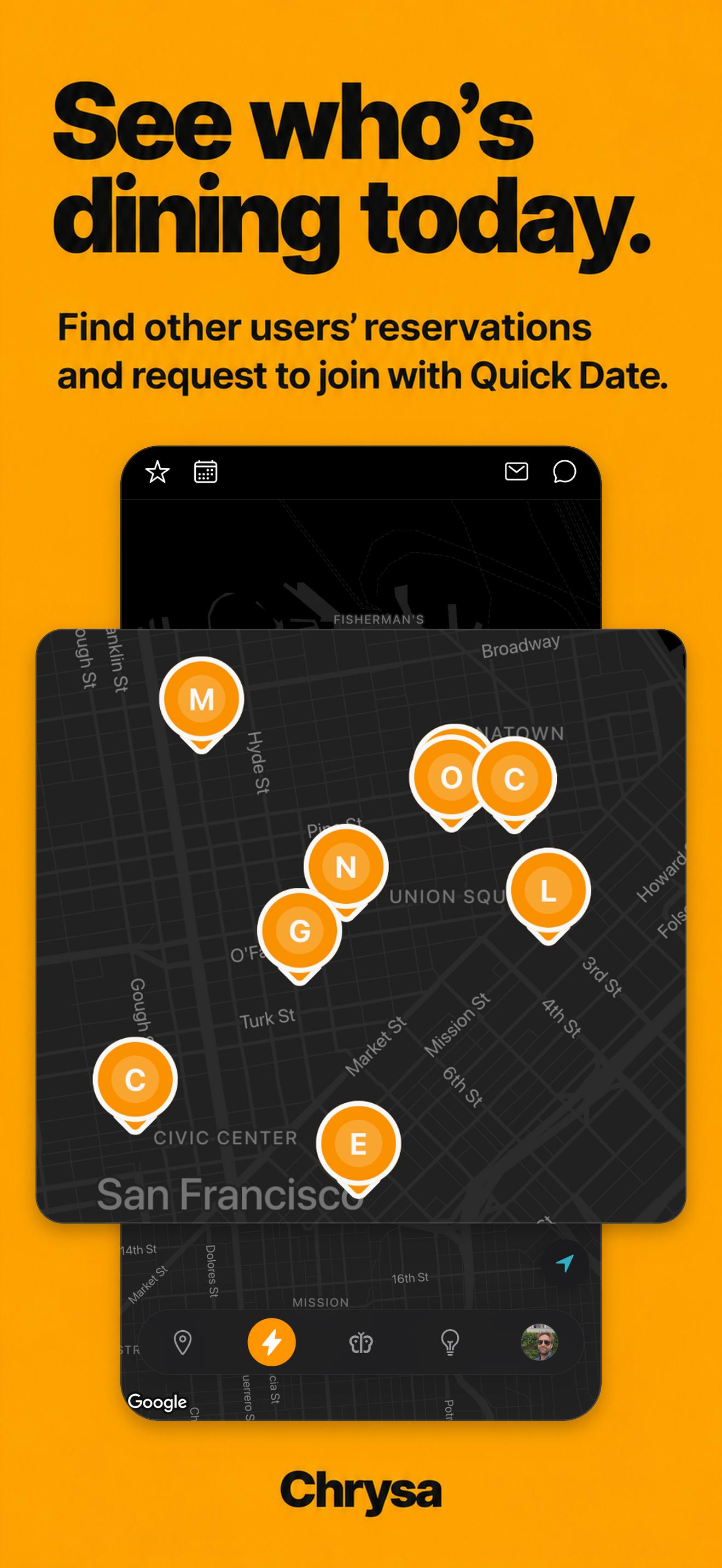
Open Quick Date and browse invitations for reservations happening today.
Open a pin to see the person and venue. Send a request if you would like to join.
The reservation holder chooses whether to accept. Once accepted, you can see the exact time and discuss the plan in chat.
Open a venue on the Venue Board and choose Reserve Now.
Choose two people, the day and the time. Let the reservation agent attempt the booking and check its result.
After a successful booking, confirm the details. Your invitation appears on the map on the reservation day.
Use your matching preferences and shared interests to discover people, then explore the places saved on their profiles.
Drag a venue card onto the green rings on their photo. The other person decides whether to accept.
Acceptance opens a shared plan and chat. Use availability overlap, talk through details and request a reservation when you are ready.
The meal-cover On/Off control communicates your intention to pay for the meal; it does not process a payment. Leaving the Match screen resets it to Off.
Use conversation-aware AI replies, photos and GIFs in chat. Voice and video calls are available when your connection supports them.
Add your free times so accepted plans can use overlapping availability. Keep the venue, day and time within reach in chat and calendar.
After seven full days, an active regular match can choose a different saved venue through its chat plan. Quick Date and other special plan types are excluded. Changing a plan does not change an existing reservation.
Use Travel Mode to explore Tokyo or San Francisco and save places you would like to visit before you arrive.
Ask the separate in-app AI coach for conversation ideas, date planning or help preparing to meet. You decide what advice to use.
CHRYSA
CHRYSA is currently free for early adopters.
Available on iPhone and Android in Japan and the U.S. · English, Japanese and Simplified Chinese · 18+