01
QuickDate Mode
Quick Dates start with a venue and a reservation. Host a date or request to join one. Either person can offer to pay at the venue.
Explore the featuresBy invitation · 18+
All in one app.
CHRYSA is building an invitation-only dating community for working professionals, including people early in their careers. Meet over a real reservation, with room to show what you have planned and who would like to treat.
Available on iPhone and Android in Japan and the U.S. · English, Japanese and Simplified Chinese · 18+



Choose a venue, make a reservation and invite someone to join. The host can offer to pay when posting the Quick Date. Someone requesting to join can make the same offer. You both see the intention before deciding to meet.
How it works01 / CHRYSA
AI reply ideas load automatically when you open a chat and refresh after you send or receive a new message, using the context of your conversation. Suggestions follow the language you are mainly using together. Choose one, edit it and send when you are ready. CHRYSA never sends a suggestion for you.
Explore the features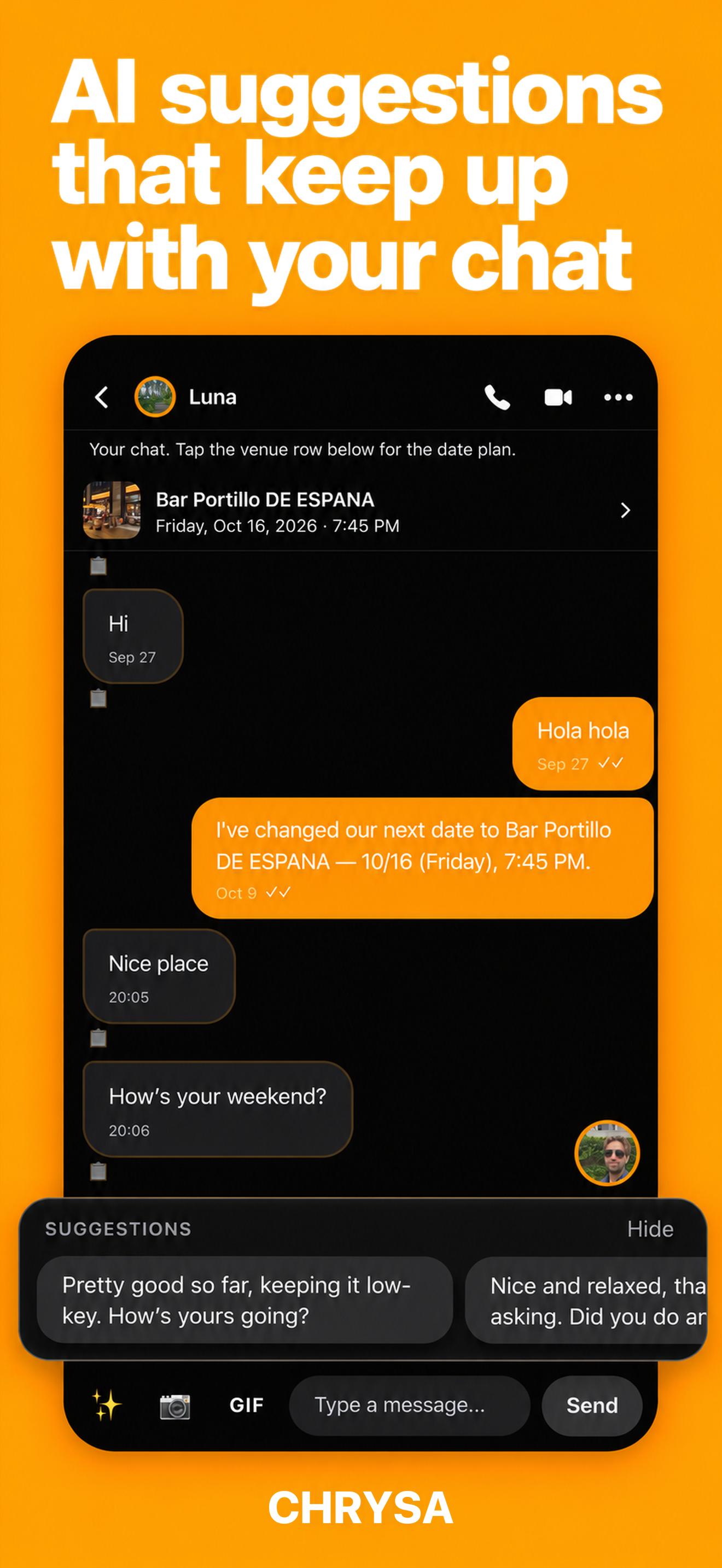
02 / CHRYSA
Quick Date puts reservations with a seat to share on the map. Browse the person and the venue, then ask to join. A pin appears only on the reservation day, so what you see is about meeting today. Available invitations depend on who has shared a reservation.
Explore the features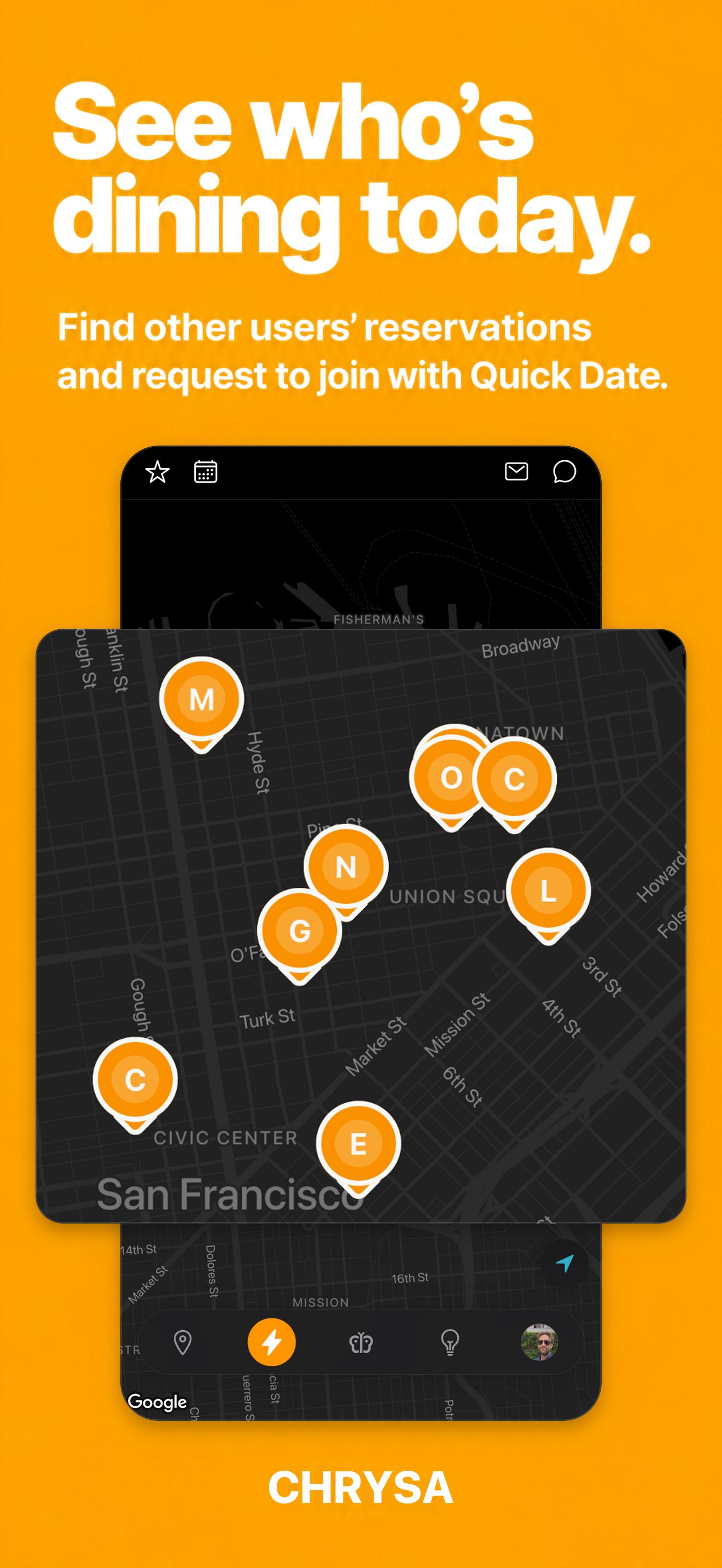
03 / CHRYSA
Choose a venue, party size, day and time, then let the reservation agent work through the venue’s online booking steps. Follow progress and receive the result in CHRYSA. A request is not a confirmed reservation; success depends on the venue and availability. Some bookings need a deposit or card details and may require you to finish the process yourself.
Explore the features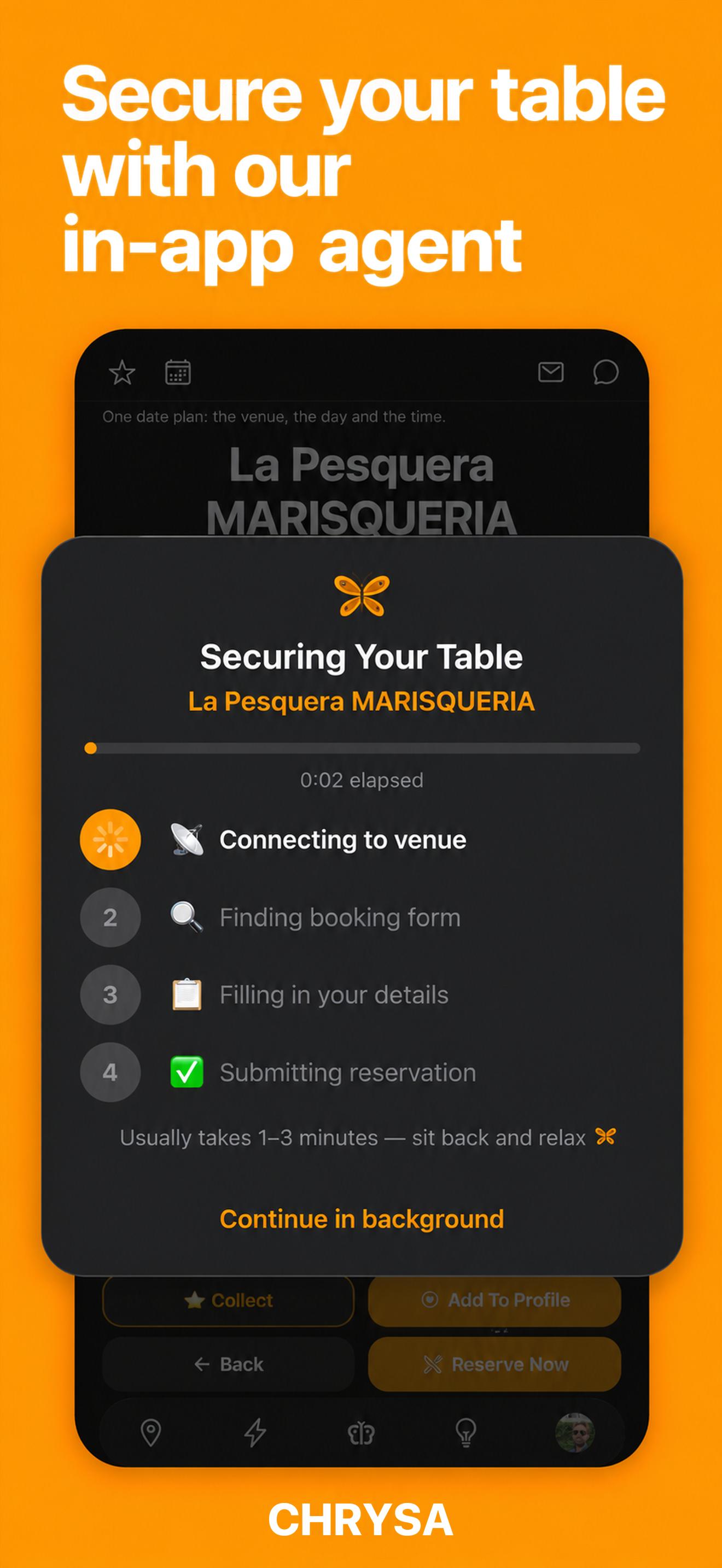
01
Quick Dates start with a venue and a reservation. Host a date or request to join one. Either person can offer to pay at the venue.
Explore the features02
Start online with an avatar and a handle. Discover your Vibe Color, find people through shared interests, join a Live Room or share on the Square. Let a conversation grow before you decide what comes next.
Explore the featuresEach mode has its own profile and connections. Switching modes does not transfer a connection or create a date.
At the invitation-only launch, new users will enter a valid CHRYSA referral code before the sign-in screen. If you do not have a code, request an invitation. Existing members will keep their usual sign-in.
Open a pin, look at the person and venue, then send a request. The reservation holder decides whether to accept. The exact reservation time is shared after acceptance.
Only on the reservation day. Booking for a future date does not make the pin appear today.
No. Wait for the booking result in the app. Availability and the venue’s booking process determine whether a reservation succeeds. A deposit or card requirement may mean you need to finish the booking yourself.
Yes. Butterfly Mode offers a separate avatar and handle, text introductions, Live Rooms and the Square. You choose the pace.
No. Permission is optional. If you enable it, existing events can appear alongside your CHRYSA plans. You can change access in device settings.
CHRYSA is available for iPhone and Android in Japan and the U.S., with English, Japanese and Simplified Chinese support. You must be 18 or older.
Visit Support for account, booking, safety and privacy help, or email support@chrysa.app.
CHRYSA
Request an invitation, or download CHRYSA and enter your invitation code in the app before your first sign-in.
Request to joinAvailable on iPhone and Android in Japan and the U.S. · English, Japanese and Simplified Chinese · 18+